
Quickstart, try the demo
For anyone who wants to see the tool working. Tutorial.
In this tutorial you run Changeset Second Opinion on your own computer, in replay mode. When you finish, you will have a queue of fifteen real changesets open in your browser, and you will have opened one of them.
Replay mode is safe to try. It serves saved changesets, so nothing is fetched from OpenStreetMap and nothing is posted to it. The tool never writes to OpenStreetMap in any mode, and lanes only order the queue: nothing is hidden, nothing closes by itself and nothing is posted by itself.
What you need
Section titled “What you need”- Python 3.13
- uv, the Python package manager
- A recent version of Node.js
- Two terminal windows
You do not need a GPU, an AWS account or a network connection to OpenStreetMap.
Start the backend
Section titled “Start the backend”In the first terminal, go to the backend folder of the repository and install the dependencies.
cd backenduv sync --frozenCreate the database and load the demo set. The first command makes a cso.db file in the backend folder. The second loads fifteen real changesets, each with a saved reading from the Decider.
uv run cso db upgradeuv run cso seedThe seed command prints how many cases it created, for example seeded 15 new and 0 existing cases. Running it again is safe. It counts the cases that are already there and does not add them twice.
Make an invite code so that you can sign in as a reviewer. The code is printed once and is not stored, so copy it now.
uv run cso auth create-invite --role reviewer --ttl-hours 24Start the API. It listens on http://127.0.0.1:8000. Leave it running.
uv run cso apiStart the web app
Section titled “Start the web app”In the second terminal, go to the web folder, install the packages and start the dev server.
cd webnpm cinpm run devOpen http://127.0.0.1:5173 in your browser. The dev server passes requests for /api on to the backend on port 8000, so both terminals need to stay open.
Look around
Section titled “Look around”You land on the home page. Choose Open the queue. You can browse as a viewer without signing in.
To act on cases, go to the sign-in page, enter your invite code and a display name, and choose Sign in. The display name is shown next to the decisions you record.
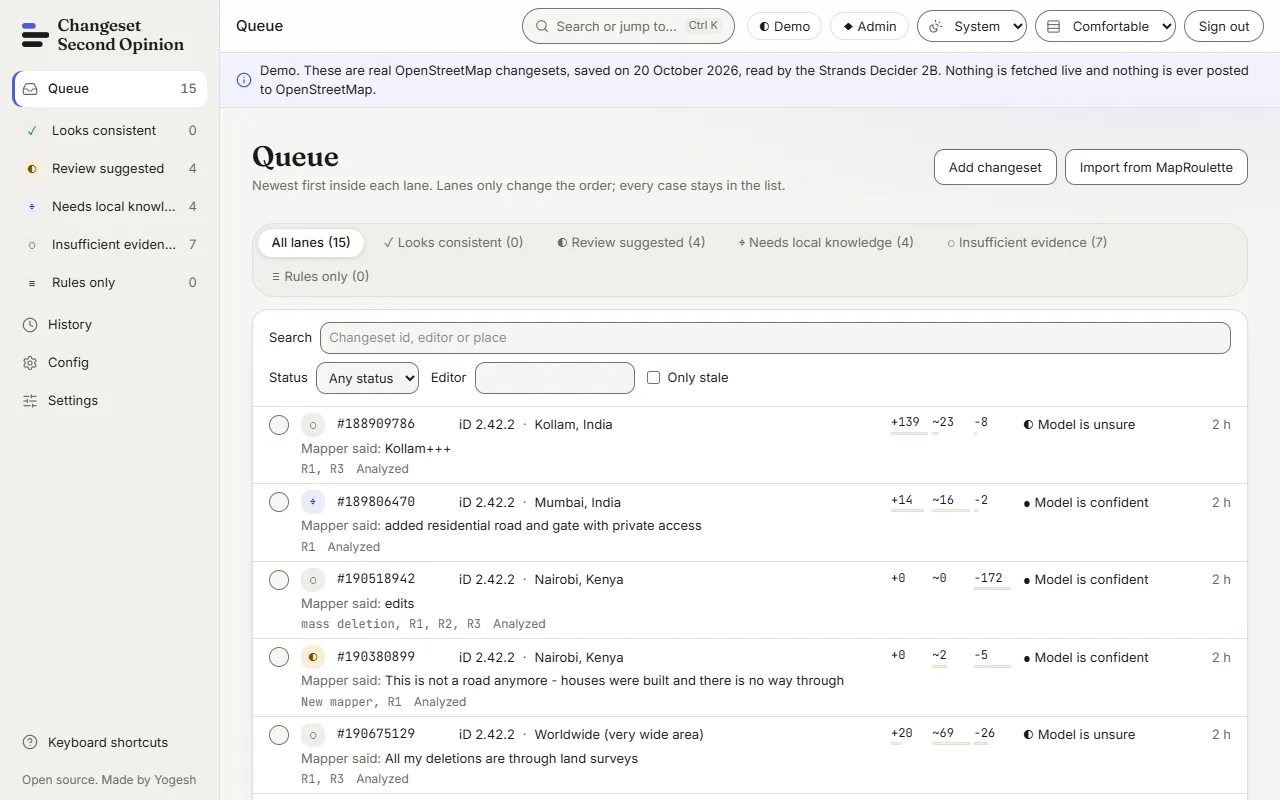
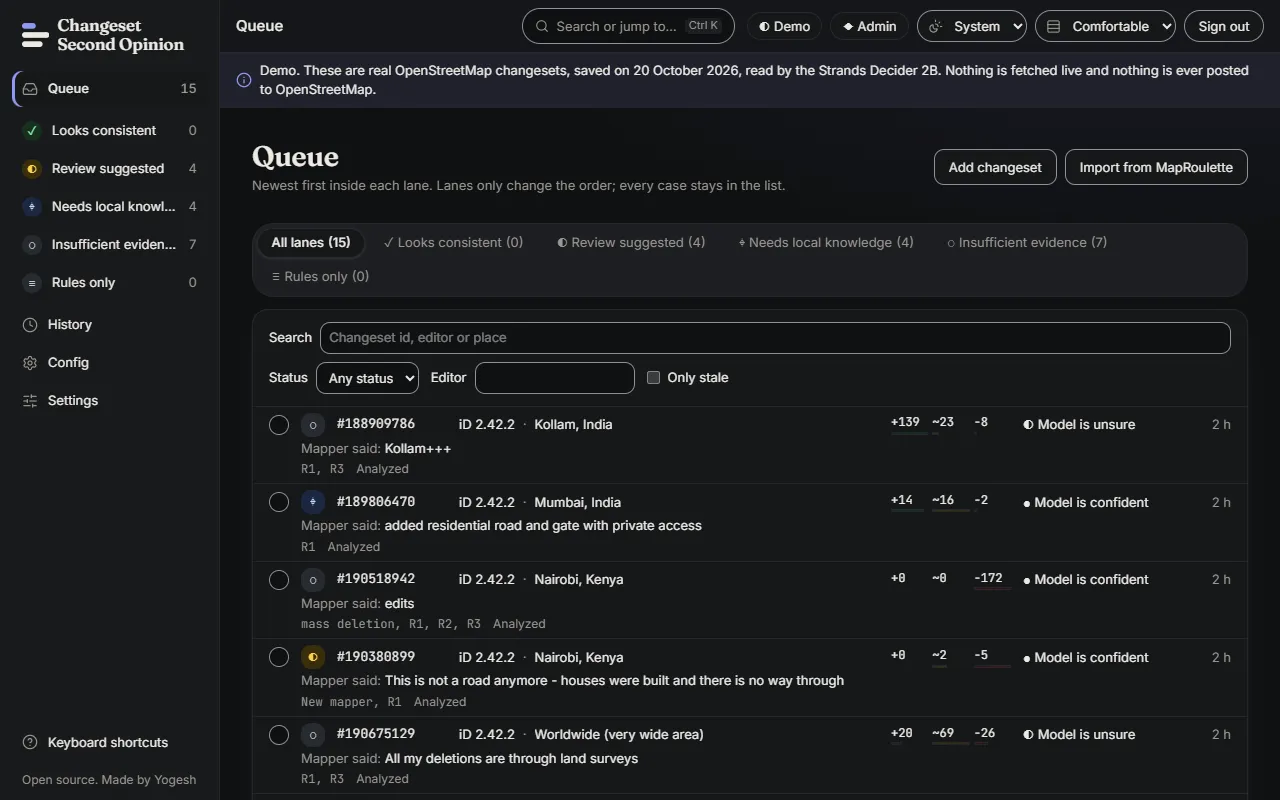
The queue shows fifteen cases. A blue banner at the top says Demo and repeats that nothing is fetched live and nothing is posted to OpenStreetMap.
What you are looking at:
- The lanes along the top and in the side bar. They order the queue. In the screenshot, 4 cases are in Review suggested, 4 in Needs local knowledge and 7 in Insufficient evidence.
- Each row shows the changeset number, the editor, the place, what the mapper said in the comment, how many elements were created, modified and deleted, and a band that says how decisive the model was.
- The band describes how clear the model’s answers were. It is not a chance that an edit is harmful.
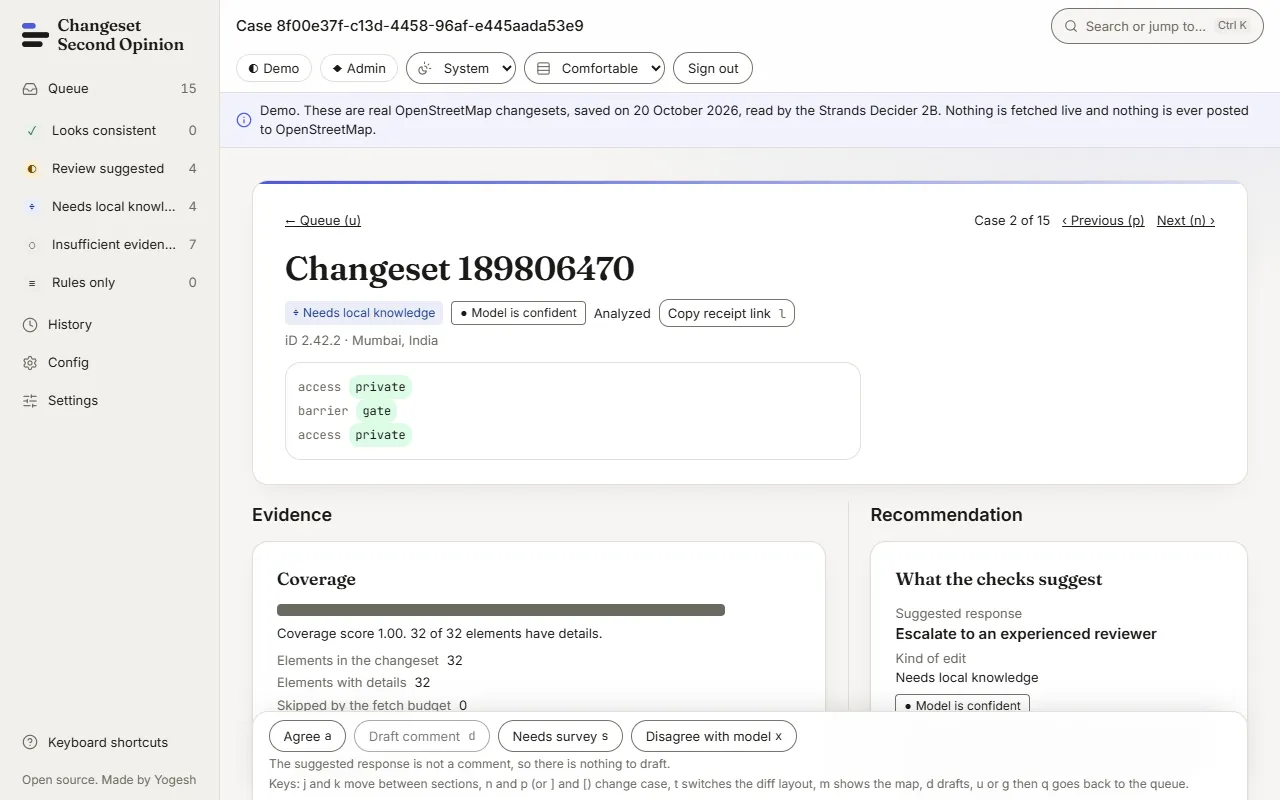
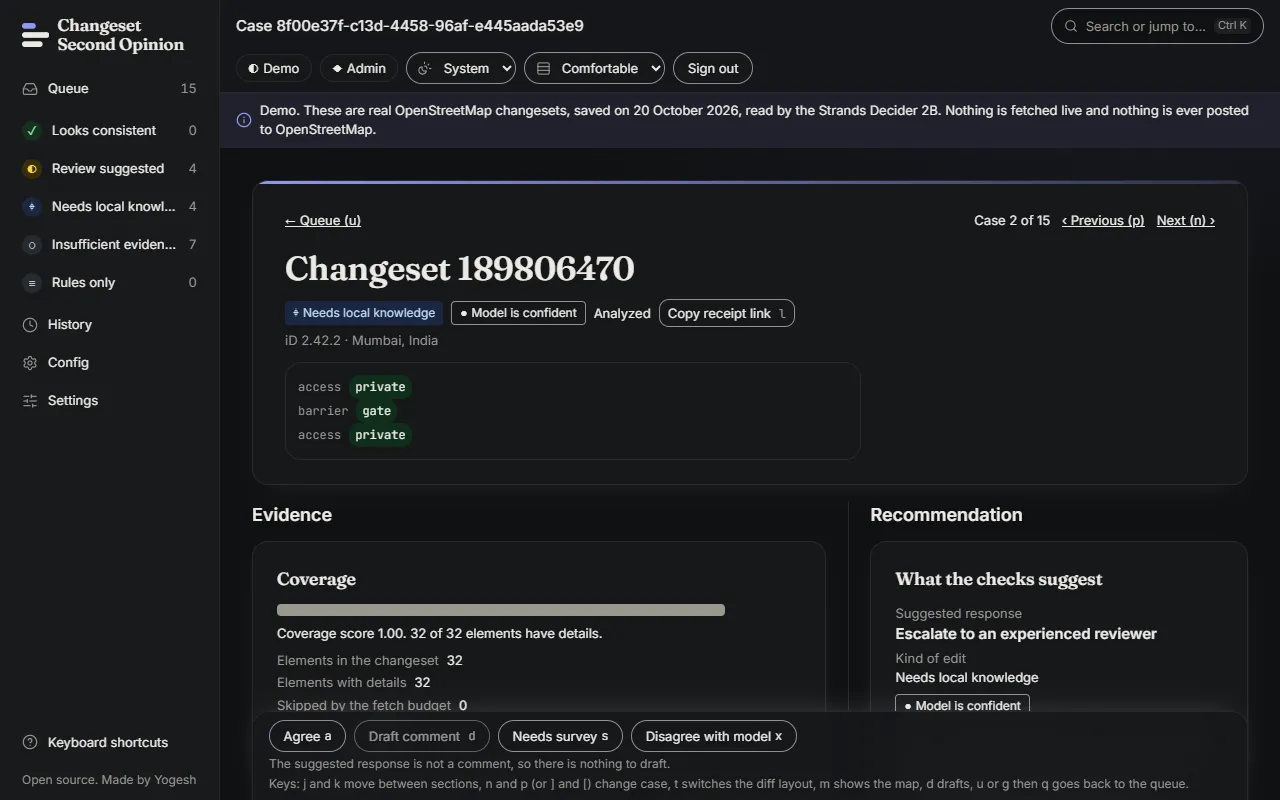
Open any row. The case page shows the evidence on the left and the suggested response on the right. The fact panel lists ten questions, and each one has a reading and a probability.
Where to go next
Section titled “Where to go next”Work through review your first changeset. It walks one demo case from the queue to a recorded decision.
If something goes wrong
Section titled “If something goes wrong”- The queue says “No cases yet”. The database is empty. Run
uv run cso seedfrom thebackendfolder, then reload the page. - “Could not reach the server”. The API is not running, or it is not on port 8000. Start it again with
uv run cso apifrom thebackendfolder. - “That invite code was not accepted”. The code is wrong, has expired (this one lasts 24 hours) or was revoked. Make a new one with
uv run cso auth create-invite --role reviewer --ttl-hours 24. - “Too many attempts”. Sign-in attempts are rate limited. Wait for the number of seconds the message gives and try again.
- A button says to sign in as a reviewer. You are browsing as a viewer. Viewers can read every case. Reviewers can analyze again, write drafts and record decisions.
- The commands fail before they start. Check that Python 3.13, uv and Node.js are installed.
Map data © OpenStreetMap contributors, under the Open Database Licence. Code under the Apache-2.0 licence. Made by Yogesh.
Changeset Second Opinion is an independent open source tool for OpenStreetMap reviewers. It is not endorsed by, sponsored by or affiliated with the OpenStreetMap Foundation. OpenStreetMap is a trademark of the OpenStreetMap Foundation, used under itstrademark policy.